Hướng dẫn khắc phục các lỗi thường gặp khi dùng Contact Form 7
Sơ đồ trang
- 1. Lỗi gửi email
- 2. Lỗi hiển thị và giao diện
- 3. Lỗi validation
- 4. Lỗi AJAX và JavaScript
- 5. Lỗi CAPTCHA/reCAPTCHA
- 6. Lỗi file upload
- 7. Lỗi database và lưu trữ
- 8. Lỗi tích hợp
- 9. Lỗi đa ngôn ngữ
- 10. Lỗi bảo mật và spam
- 11. Lỗi hiệu suất
- 12. Lỗi cấu hình
- 13. Tips tối ưu và Best Practices
- 14. Debug và Troubleshooting
- Kết luận
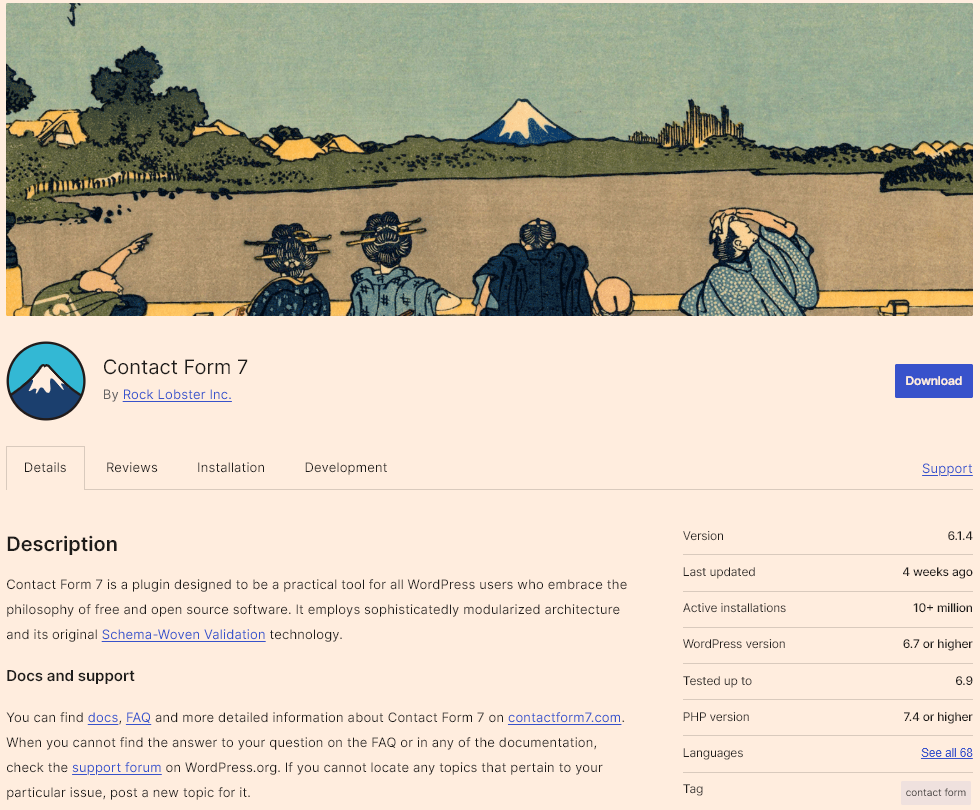
Contact Form 7 là một plugin miễn phí phổ biến trên WordPress, giúp người dùng dễ dàng tạo và quản lý các biểu mẫu liên hệ. Plugin này hỗ trợ nhiều loại trường như text, email, textarea, checkbox, radio… và cho phép tùy chỉnh linh hoạt thông qua shortcode. Contact Form 7 tương thích tốt với hầu hết các theme, dễ dàng tích hợp email, reCAPTCHA và các giải pháp chống spam, phù hợp cho cả website cá nhân lẫn doanh nghiệp.
Tuy nhiên, trong quá trình sử dụng, người dùng có thể gặp phải một số lỗi nhỏ. Vì vậy, bài viết này sẽ tổng hợp và hướng dẫn cách khắc phục những lỗi thường gặp khi sử dụng Contact Form 7, hy vọng sẽ giúp ích cho bạn.
1. Lỗi gửi email
Email không được gửi đi
Nguyên nhân:
- Hosting không hỗ trợ hàm mail() của PHP
- Cấu hình email sai
- Email bị chặn bởi firewall/security plugin
Cách khắc phục:
- Cài đặt SMTP Plugin
Xem hướng dẫn chi tiết cách cấu hình SMTP tại đây
- Kiểm tra cấu hình email trong CF7:
- Vào Contact > Contact Forms > chọn form
- Tab Mail > kiểm tra:
  + To: [your-email@example.com] (email thật)
  + From: [your-name] <wordpress@yourdomain.com>
  + Subject: có chứa [your-subject]
- Kiểm tra log lỗi
Xem hướng dẫn debug tại đây
Email rơi vào spam
Kiểm tra xem thư có vào spam hay không, nếu có hãy đảm bảo bạn dùng SMTP sạch và uy tín và có cấu hình SPF, DKIM, DMARC records cho domain đầy đủ
Bài viết liên quan
Email thiếu thông tin hoặc sai định dạng
Cách khắc phục:
- Kiểm tra mail tags:
To: admin@example.com
From: [your-name] <[your-email]>
Subject: New message from [your-name]

Message Body:
Name: [your-name]
Email: [your-email]
Subject: [your-subject]
Message: [your-message]
Lỗi “Failed to send your message”
Cách khắc phục, check qua SMTP đã gửi ok chưa trước sau đó
- Vô hiệu hóa AJAX tạm thời:
// Thêm vào functions.php
add_filter('wpcf7_support_html5_fallback', '__return_true');
- Tăng memory limit:
// Trong wp-config.php
define('WP_MEMORY_LIMIT', '256M');
- Kiểm tra conflict với plugin khác (tắt từng plugin để test)
2. Lỗi hiển thị và giao diện
Form không hiển thị, chỉ thấy shortcode
Cách khắc phục:
- Kiểm tra shortcode đúng format:
[contact-form-7 id="123" title="Contact form"]
- Plugin chưa active: Vào Plugins > kích hoạt Contact Form 7
- Conflict với theme: Đổi sang theme mặc định (Twenty Twenty-Four) để test
CSS bị vỡ, form hiển thị không đúng
Cách khắc phục:
- Reset CSS cơ bản:
/* Thêm vào Appearance > Customize > Additional CSS */
.wpcf7 {
  max-width: 600px;
  margin: 0 auto;
}

.wpcf7 input[type="text"],
.wpcf7 input[type="email"],
.wpcf7 input[type="tel"],
.wpcf7 textarea {
  width: 100%;
  padding: 10px;
  margin-bottom: 15px;
  border: 1px solid #ddd;
  border-radius: 4px;
  box-sizing: border-box;
}

.wpcf7 input[type="submit"] {
  background: #0073aa;
  color: #fff;
  padding: 12px 30px;
  border: none;
  border-radius: 4px;
  cursor: pointer;
}

.wpcf7 input[type="submit"]:hover {
  background: #005177;
}
- Tắt CSS mặc định của CF7:
// Thêm vào functions.php
add_filter('wpcf7_load_css', '__return_false');
Responsive không hoạt động trên mobile
Cách khắc phục:
/* Mobile responsive CSS */
@media (max-width: 768px) {
  .wpcf7 {
    padding: 15px;
  }

  .wpcf7 input[type="text"],
  .wpcf7 input[type="email"],
  .wpcf7 textarea {
    font-size: 16px; /* Tránh zoom trên iOS */
  }

  .wpcf7-form-control-wrap {
    display: block;
    width: 100%;
  }
}
3. Lỗi validation
Validation không hoạt động
Cách khắc phục:
- *Kiểm tra field bắt buộc có dấu :
[text* your-name]
[email* your-email]
- Xóa cache browser và plugin cache
- Kiểm tra JavaScript có load:
// Mở Console (F12) > kiểm tra lỗi JS
// Nếu có lỗi liên quan đến wpcf7, có conflict plugin
Thông báo lỗi không hiển thị
Cách khắc phục:
- Tùy chỉnh thông báo lỗi:
Contact > Contact Forms > chọn form > tab Messages
Chỉnh sửa các thông báo:
- "The field is required"
- "The e-mail address entered is invalid"
- CSS để hiển thị lỗi rõ ràng:
.wpcf7-not-valid-tip {
  color: #dc3232;
  font-size: 14px;
  display: block;
  margin-top: 5px;
}

.wpcf7-not-valid {
  border-color: #dc3232 !important;
}

.wpcf7-response-output {
  margin: 20px 0;
  padding: 15px;
  border-radius: 4px;
}

.wpcf7-mail-sent-ok {
  background: #d4edda;
  border: 1px solid #c3e6cb;
  color: #155724;
}

.wpcf7-validation-errors {
  background: #f8d7da;
  border: 1px solid #f5c6cb;
  color: #721c24;
}
Validation email không chính xác
Cách khắc phục:
- Sử dụng field type email:
[email* your-email]
- Custom validation pattern:
[email* your-email pattern:".+@.+\..+"]
File upload validation không hoạt động
Cách khắc phục:
- Kiểm tra giới hạn trong form:
[file your-file limit:2mb filetypes:jpg|png|pdf]
- Tăng upload limit trong PHP:
// Thêm vào .htaccess (Apache)
php_value upload_max_filesize 10M
php_value post_max_size 10M
php_value max_execution_time 300
php_value max_input_time 300
Hoặc trong wp-config.php:
@ini_set('upload_max_size', '10M');
@ini_set('post_max_size', '10M');
4. Lỗi AJAX và JavaScript
Form reload lại trang sau khi submit
Cách khắc phục:
- Kiểm tra AJAX có bật:
// Thêm vào functions.php để bật AJAX
add_filter('wpcf7_ajax_json_echo', '__return_true');
- Xóa cache JavaScript
- Kiểm tra jQuery có load:
// Trong Console browser
console.log(jQuery.fn.jquery);
// Nếu lỗi "jQuery is not defined" thì theme thiếu jQuery
- Đảm bảo wp_footer() trong theme:
// Kiểm tra trong footer.php có:
<?php wp_footer(); ?>
Thông báo thành công/lỗi không hiển thị
Cách khắc phục:
- Scroll to message tự động:
// Thêm vào Additional Settings của form
on_sent_ok: "location.reload();"
on_submit: "jQuery('.wpcf7-response-output').show();"
Lưu ý: on_sent_ok và on_submit đã deprecated từ CF7 5.0+. Sử dụng DOM events:
// Thêm vào theme's JS file
document.addEventListener('wpcf7mailsent', function(event) {
  // Scroll to response
  var responseOutput = event.target.querySelector('.wpcf7-response-output');
  if (responseOutput) {
    responseOutput.scrollIntoView({ behavior: 'smooth', block: 'center' });
  }
}, false);

document.addEventListener('wpcf7invalid', function(event) {
  // Scroll to first error
  var firstError = event.target.querySelector('.wpcf7-not-valid');
  if (firstError) {
    firstError.scrollIntoView({ behavior: 'smooth', block: 'center' });
  }
}, false);
Conflict JavaScript với theme/plugin
Cách khắc phục:
- Tìm plugin gây conflict:
- Tắt tất cả plugin (trừ CF7)
- Bật từng plugin một và test form
- Plugin nào làm lỗi thì tìm cách fix hoặc thay thế
- Load jQuery đúng cách:
// Thêm vào functions.php
function my_theme_scripts() {
  wp_enqueue_script('jquery');
}
add_action('wp_enqueue_scripts', 'my_theme_scripts');
- Sử dụng jQuery no-conflict mode:
jQuery(document).ready(function($) {
  // Code ở đây dùng $ như bình thường
});
Console báo lỗi JavaScript
Các lỗi thường gặp:
- “Uncaught TypeError: Cannot read property ‘init’ of undefined”
// CF7 scripts chưa load, thêm vào functions.php:
add_action('wp_enqueue_scripts', function() {
  if (function_exists('wpcf7_enqueue_scripts')) {
    wpcf7_enqueue_scripts();
  }
});
- “wpcf7 is not defined”
- Clear cache
- Đảm bảo CF7 active
- Kiểm tra file scripts.js của CF7 có load không (trong Page Source)
5. Lỗi CAPTCHA/reCAPTCHA
reCAPTCHA không hiển thị
Cách khắc phục:
- Cấu hình đúng Site Key và Secret Key:
Contact > Integration > reCAPTCHA
- Đăng ký tại: https://www.google.com/recaptcha/admin
- Chọn reCAPTCHA v2 hoặc v3
- Copy Site Key và Secret Key
- Paste vào CF7
- Thêm vào form:
[recaptcha]
- Kiểm tra domain trong reCAPTCHA settings (phải match với domain website)
reCAPTCHA báo lỗi “Invalid site key”
Cách khắc phục:
- Copy lại Site Key từ Google reCAPTCHA admin
- Xóa cache
- Đảm bảo domain đã được add vào list trong reCAPTCHA settings
- Kiểm tra đang dùng đúng version (v2/v3)
Honeypot không hoạt động, vẫn nhận spam
- Antispam bee
- WP Armour
- CleanTalk
6. Lỗi file upload
Không upload được file
Cách khắc phục:
- Kiểm tra permission thư mục uploads:
wp-content/uploads/ => chmod 755
- Tăng giới hạn upload:
[file your-file limit:5mb filetypes:jpg|jpeg|png|pdf]
- Kiểm tra PHP settings:
// Xem phpinfo để kiểm tra:
upload_max_filesize = 10M
post_max_size = 10M
memory_limit = 128M
Lỗi kích thước file vượt quá giới hạn
Cách khắc phục:
- Trong form field:
[file your-file limit:10mb]
- Tăng limit trong hosting:
Via .htaccess:
php_value upload_max_filesize 20M
php_value post_max_size 20M
Via php.ini:
upload_max_filesize = 20M
post_max_size = 20M
max_execution_time = 300
- Hiển thị thông báo rõ ràng:
Messages tab > "Uploaded file is too large"
=> "Dung lượng file tối đa 10MB"
File không đính kèm vào email
Cách khắc phục:
- Kiểm tra Mail tab:
File Attachments: [your-file]
- Đảm bảo field name khớp:
Form: [file your-document]
Mail tab: [your-document]
- Test với file nhỏ trước (tránh timeout)
7. Lỗi database và lưu trữ
Form submissions không được lưu vào database
Cách khắc phục:
- Cài plugin lưu trữ:
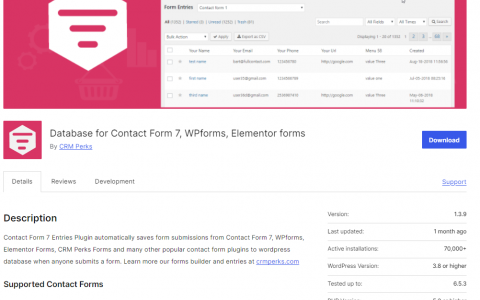
- Flamingo (official từ CF7)
- Contact Form CFDB7
- WP Mail Logging
- Kích hoạt Flamingo:
Plugins > Add New > Tìm "Flamingo" > Install > Activate
Flamingo sẽ tự động lưu tất cả submissions
- Xem submissions:
WordPress Admin > Flamingo > Inbound Messages
Duplicate entries trong database
Cách khắc phục:
- Ngăn double-submit:
// Thêm vào theme's JS
document.addEventListener('wpcf7submit', function(event) {
  var form = event.target;
  var submitBtn = form.querySelector('input[type="submit"]');
  submitBtn.disabled = true;

  setTimeout(function() {
    submitBtn.disabled = false;
  }, 3000);
}, false);
- CSS disable button khi submit:
.wpcf7 form.submitting input[type="submit"] {
  opacity: 0.5;
  pointer-events: none;
}
Dữ liệu bị mất sau khi update plugin
Cách khắc phục:
- Backup trước khi update:
- Sử dụng UpdraftPlus hoặc BackWPup
- Export Flamingo data: Flamingo > Inbound Messages > Export
- Kiểm tra database:
-- Kiểm tra tables Flamingo còn tồn tại không
SHOW TABLES LIKE 'wp_flamingo%';
- Restore từ backup nếu cần
8. Lỗi tích hợp
Không tích hợp được với Mailchimp, ActiveCampaign
Cách khắc phục:
- Sử dụng extension chính thức:
- CF7 to Mailchimp extension
- Hoặc dùng Zapier/Make (Integromat)
- Cài Contact Form 7 Add-ons:
Plugins > Add New > "CF7 Mailchimp Extension"
Contact > Integration > Mailchimp
Nhập API Key và chọn List
- Map fields đúng:
Form field: [email your-email]
Mailchimp field: EMAIL

Form field: [text your-name]
Mailchimp field: FNAME
Webhook không hoạt động
Cách khắc phục:
- Thêm webhook vào Additional Settings:
on_sent_ok: "fetch('https://your-webhook-url.com/endpoint', {method: 'POST', body: JSON.stringify(formData)});"
Lưu ý: Cách trên đã deprecated. Dùng DOM events thay thế:
// Thêm vào theme's JS file
document.addEventListener('wpcf7mailsent', function(event) {
  var formData = new FormData();
  var inputs = event.target.querySelectorAll('input, textarea, select');

  inputs.forEach(function(input) {
    if (input.name && input.value) {
      formData.append(input.name, input.value);
    }
  });

  fetch('https://your-webhook-url.com/endpoint', {
    method: 'POST',
    body: formData
  })
  .then(response => response.json())
  .then(data => console.log('Webhook success:', data))
  .catch(error => console.error('Webhook error:', error));
}, false);
- Test webhook với RequestBin:
- Tạo endpoint test tại: https://requestbin.com
- Paste URL vào code
- Submit form và kiểm tra data nhận được
- Kiểm tra CORS nếu gọi external API:
fetch(url, {
  method: 'POST',
  headers: {
    'Content-Type': 'application/json',
  },
  mode: 'cors',
  body: JSON.stringify(data)
})
API connection timeout
Cách khắc phục:
- Tăng timeout:
// Thêm vào functions.php
add_filter('http_request_timeout', function() {
  return 30; // 30 seconds
});
- Xử lý async:
add_action('wpcf7_mail_sent', function($contact_form) {
  wp_schedule_single_event(time(), 'send_to_api_hook', array($contact_form));
}, 10, 1);

add_action('send_to_api_hook', function($contact_form) {
  // Call API ở đây
  $response = wp_remote_post($api_url, array(
    'timeout' => 30,
    'body' => $data
  ));
});
9. Lỗi đa ngôn ngữ
Form không chuyển ngôn ngữ khi dùng WPML/Polylang
Cách khắc phục:
- Với WPML:
- WPML > Translation Management
- Chọn Contact Forms để dịch
- Dịch từng form cho từng ngôn ngữ
- Với Polylang:
- Settings > Languages > Settings
- Bật "The language is set from content"
- Tạo bản copy form cho mỗi ngôn ngữ
- Shortcode theo ngôn ngữ:
// Dùng conditional shortcode
<?php if (ICL_LANGUAGE_CODE == 'en'): ?>
  [contact-form-7 id="123" title="Contact EN"]
<?php else: ?>
  [contact-form-7 id="456" title="Contact VI"]
<?php endif; ?>
Thông báo vẫn hiển thị tiếng Anh
Cách khắc phục:
- Dịch messages trong CF7:
Contact > Contact Forms > chọn form > Messages tab
Dịch tất cả messages sang ngôn ngữ cần thiết
- Dùng .po/.mo files:
- Tải Loco Translate plugin
- Plugins > Loco Translate > Contact Form 7
- Chọn ngôn ngữ và dịch
- Custom messages bằng filter:
add_filter('wpcf7_display_message', function($message, $status) {

if ($status == 'mail_sent') {

if (ICL_LANGUAGE_CODE == 'vi') {

return 'Tin nhắn đã được gửi thành công!';

}

}

return $message;

}, 10, 2);
10. Lỗi bảo mật và spam
Nhận quá nhiều spam submissions
Giải pháp toàn diện:
- Kích hoạt reCAPTCHA v3:
Contact > Integration > reCAPTCHA
Chọn v3 (invisible, user-friendly hơn v2)
Thêm [recaptcha] vào form
2. Cài plugin chống spam:
- Antispam bee
- WP Armour
- CleanTalk
Bot bypass được validation
Cách khắc phục:
- Kết hợp nhiều phương pháp:
- reCAPTCHA v3
- Honeypot
- Rate limiting
- JavaScript validation
Lỗ hổng XSS hoặc injection
Cách khắc phục:
- CF7 đã sanitize input, nhưng để chắc chắn:
add_filter('wpcf7_posted_data', function($posted_data) {
  foreach ($posted_data as $key => $value) {
    if (is_string($value)) {
      $posted_data[$key] = sanitize_text_field($value);
    }
  }
  return $posted_data;
});
- Validate email format:
add_filter('wpcf7_validate_email*', function($result, $tag) {
  $email = isset($_POST[$tag->name]) ? trim($_POST[$tag->name]) : '';

  if (!filter_var($email, FILTER_VALIDATE_EMAIL)) {
    $result->invalidate($tag, 'Email không hợp lệ');
  }

  return $result;
}, 10, 2);
- Update CF7 thường xuyên để có patches bảo mật mới nhất
11. Lỗi hiệu suất
Form load chậm
Cách khắc phục:
- Lazy load CF7 scripts:
// Chỉ load CF7 scripts trên trang có form
add_filter('wpcf7_load_js', '__return_false');
add_filter('wpcf7_load_css', '__return_false');

add_action('wp_enqueue_scripts', function() {
  if (is_page('contact')) { // Trang có form
    if (function_exists('wpcf7_enqueue_scripts')) {
      wpcf7_enqueue_scripts();
    }
    if (function_exists('wpcf7_enqueue_styles')) {
      wpcf7_enqueue_styles();
    }
  }
});
- Minify CSS/JS:
- Dùng plugin Autoptimize hoặc WP Rocket
- Enable minification cho CF7 files
Trang bị lag khi có nhiều form
Cách khắc phục:
- Chỉ load form khi cần:
// Dùng conditional loading
if (is_page(array('contact', 'quote', 'support'))) {
  // Load CF7
}
- Giảm số lượng forms trên 1 trang:
- Dùng 1 form với conditional logic
- Hoặc dùng tabs/accordions để ẩn/hiện forms
- Optimize database:
-- Clean up CF7 meta data
DELETE FROM wp_postmeta WHERE meta_key LIKE '_wpcf7%';
OPTIMIZE TABLE wp_postmeta;
Conflict với cache plugin
Cách khắc phục:
- Exclude CF7 AJAX từ cache:
WP Rocket:
Settings > Advanced > Never Cache URL(s)
Thêm: /wp-json/contact-form-7/*
W3 Total Cache:
Performance > Page Cache > Never cache the following pages
Thêm: wp-json/contact-form-7/*
- Exclude CF7 nonce từ cache:
// Thêm vào functions.php
add_filter('wpcf7_ajax_json_echo', function($items, $result) {
  // Regenerate nonce để tránh cache
  $items['nonce'] = wp_create_nonce('wpcf7-ajax-post');
  return $items;
}, 10, 2);
- Clear cache sau khi update form:
- WP Rocket: Clear cache
- Cloudflare: Purge everything
- Browser cache: Ctrl+F5
12. Lỗi cấu hình
Shortcode parameters không hoạt động
Cách khắc phục:
- Kiểm tra syntax shortcode:
Đúng: [contact-form-7 id="123" title="Contact form"]
Sai: [contact-form-7 id=123 title=Contact form]
- HTML class và ID:
[contact-form-7 id="123" html_id="my-form" html_class="custom-form"]
- Parameters thường dùng:
[contact-form-7 id="123" title="Contact" html_name="contact-form" output="html"]
Additional settings không được áp dụng
Cách khắc phục:
- Vào Additional Settings tab và thêm:
# Tắt AJAX
ajax: false

# Custom class cho form
html_class: 'my-custom-class another-class'

# Skip mail
skip_mail: on

# Subscribers only (nếu dùng Members plugin)
subscribers_only: true

# Accept charset
accept_charset: "UTF-8,ISO-8859-1"

# Redirect sau khi submit (dùng DOM events thay vì on_sent_ok)
- Redirect sau submit (cách mới):
// Thêm vào theme's JS file thay vì dùng on_sent_ok
document.addEventListener('wpcf7mailsent', function(event) {
  location = 'https://yourdomain.com/thank-you/';
}, false);
Conditional fields không hiển thị/ẩn đúng
Cách khắc phục:
- Cài plugin Conditional Fields:
Plugins > Add New > "Conditional Fields for Contact Form 7"
Install và Activate
- Cấu hình trong form builder:
- Click vào field cần ẩn/hiện
- Chọn "Conditional Fields" tab
- Set điều kiện: Show if [field-name] equals [value]
- Ví dụ conditional logic:
[select inquiry "General" "Support" "Sales"]

<!-- Conditional group -->
<div data-show="inquiry" data-is="Support">
  [text support-ticket "Ticket Number"]
</div>

<div data-show="inquiry" data-is="Sales">
  [text company-name "Company Name"]
</div>
- Custom conditional với JavaScript:
// Thêm vào theme's JS
document.addEventListener('DOMContentLoaded', function() {
  var inquiryField = document.querySelector('select[name="inquiry"]');
  var supportGroup = document.querySelector('.support-fields');
  var salesGroup = document.querySelector('.sales-fields');

  if (inquiryField) {
    inquiryField.addEventListener('change', function() {
      var value = this.value;

      // Hide all
      supportGroup.style.display = 'none';
      salesGroup.style.display = 'none';

      // Show relevant
      if (value === 'Support') {
        supportGroup.style.display = 'block';
      } else if (value === 'Sales') {
        salesGroup.style.display = 'block';
      }
    });

    // Trigger on page load
    inquiryField.dispatchEvent(new Event('change'));
  }
});
- CSS để ẩn fields ban đầu:
.support-fields,
.sales-fields {
  display: none;
}

.support-fields.active,
.sales-fields.active {
  display: block;
}
13. Tips tối ưu và Best Practices
Tối ưu performance
- Chỉ load CF7 khi cần:
// functions.php
function load_cf7_conditionally() {
  // Tắt mặc định
  add_filter('wpcf7_load_js', '__return_false');
  add_filter('wpcf7_load_css', '__return_false');

  // Chỉ load trên pages có form
  if (is_page(array('contact', 'quote')) || is_singular('product')) {
    if (function_exists('wpcf7_enqueue_scripts')) {
      wpcf7_enqueue_scripts();
    }
    if (function_exists('wpcf7_enqueue_styles')) {
      wpcf7_enqueue_styles();
    }
  }
}
add_action('wp_enqueue_scripts', 'load_cf7_conditionally');
- Defer/async loading:
function defer_cf7_scripts($tag, $handle) {
  if ('contact-form-7' === $handle) {
    $tag = str_replace(' src', ' defer src', $tag);
  }
  return $tag;
}
add_filter('script_loader_tag', 'defer_cf7_scripts', 10, 2);
Bảo mật nâng cao
- Rate limiting theo IP:
function cf7_rate_limit() {
  $ip = $_SERVER['REMOTE_ADDR'];
  $transient_key = 'cf7_limit_' . md5($ip);
  $attempts = get_transient($transient_key);

  if ($attempts && $attempts >= 5) {
    wp_die('Too many submissions. Please try again later.');
  }

  set_transient($transient_key, ($attempts ? $attempts + 1 : 1), HOUR_IN_SECONDS);
}
add_action('wpcf7_before_send_mail', 'cf7_rate_limit');
- Block disposable emails:
function block_disposable_emails($result, $tag) {
  $email = isset($_POST[$tag->name]) ? $_POST[$tag->name] : '';
  $disposable_domains = array('tempmail.com', '10minutemail.com', 'guerrillamail.com');

  foreach ($disposable_domains as $domain) {
    if (strpos($email, $domain) !== false) {
      $result->invalidate($tag, 'Please use a valid email address.');
      break;
    }
  }

  return $result;
}
add_filter('wpcf7_validate_email*', 'block_disposable_emails', 10, 2);
Tracking và Analytics
- Google Analytics event tracking:
document.addEventListener('wpcf7mailsent', function(event) {
  // GA4
  if (typeof gtag !== 'undefined') {
    gtag('event', 'form_submission', {
      'event_category': 'Contact Form',
      'event_label': event.detail.contactFormId,
      'value': 1
    });
  }

  // Universal Analytics (legacy)
  if (typeof ga !== 'undefined') {
    ga('send', 'event', 'Contact Form', 'Submit', 'Form ID: ' + event.detail.contactFormId);
  }
}, false);
- Facebook Pixel tracking:
document.addEventListener('wpcf7mailsent', function(event) {
  if (typeof fbq !== 'undefined') {
    fbq('track', 'Lead', {
      content_name: 'Contact Form Submission',
      content_category: 'Contact'
    });
  }
}, false);
14. Debug và Troubleshooting
Enable debug mode
// wp-config.php
define('WP_DEBUG', true);
define('WP_DEBUG_LOG', true);
define('WP_DEBUG_DISPLAY', false);
define('SCRIPT_DEBUG', true);

// Xem log tại: wp-content/debug.log
CF7 specific debugging
// functions.php - Log all submissions
add_action('wpcf7_before_send_mail', function($cf7) {
  $submission = WPCF7_Submission::get_instance();
  if ($submission) {
    $data = $submission->get_posted_data();
    error_log('CF7 Submission: ' . print_r($data, true));
  }
});

// Log mail sending
add_action('wpcf7_mail_sent', function($cf7) {
  error_log('CF7 Mail sent successfully for form ID: ' . $cf7->id());
});

add_action('wpcf7_mail_failed', function($cf7) {
  error_log('CF7 Mail failed for form ID: ' . $cf7->id());
});
Common debugging queries
// Check if CF7 is active
if (class_exists('WPCF7_ContactForm')) {
  echo 'CF7 is active';
}

// Get all forms
$forms = WPCF7_ContactForm::find();
foreach ($forms as $form) {
  echo $form->id() . ': ' . $form->title() . '<br>';
}

// Check form configuration
$form = wpcf7_contact_form(123); // Replace with your form ID
echo '<pre>';
print_r($form->get_properties());
echo '</pre>';
Test email functionality
// Test WordPress mail function
function test_wp_mail() {
  $to = 'your-email@example.com';
  $subject = 'Test Email';
  $message = 'This is a test email from WordPress';
  $headers = array('Content-Type: text/html; charset=UTF-8');

  $sent = wp_mail($to, $subject, $message, $headers);

  if ($sent) {
    echo 'Email sent successfully!';
  } else {
    echo 'Email failed to send.';
  }
}

// Run: yoursite.com/?test_mail=1
if (isset($_GET['test_mail']) && current_user_can('manage_options')) {
  test_wp_mail();
  exit;
}
Kết luận
Bài viết này đã tổng hợp các lỗi thường gặp và cách khắc phục chi tiết khi sử dụng Contact Form 7. Một số lưu ý cuối:
- Luôn backup trước khi thay đổi code
- Test trên staging environment trước
- Update CF7 và các addon thường xuyên
- Monitor form submissions để phát hiện lỗi sớm
- Sử dụng child theme khi custom code
- Document các thay đổi của bạn
Nếu gặp lỗi không có trong danh sách, hãy:
- Check debug.log
- Test với theme/plugins mặc định
- Tìm kiếm trên CF7 support forum
- Contact hosting provider nếu là vấn đề server
Chúc bạn thành công với Contact Form 7! 🚀
Nếu bạn thấy bài viết có ích bạn có thể chia sẻ bài viết
này. Yêu cầu thêm bài viết tại đây
Đã copy

Bài viết liên quan